Move to a Modern, Maintainable CMS Platform
Legacy CMS versions, outdated plugins, unsupported PHP versions and fragile integrations can turn a website into a technical liability. We help you migrate safely.
Wherever you're migrating from or to
TYPO3 Migration
Version upgrades and platform migration.
WordPress Migration
Safe migration to a modern WordPress setup.
WooCommerce Migration
Migrate stores without losing orders or data.
CMS-to-CMS Migration
Legacy PHP or other CMS to TYPO3/WordPress.
Migration that protects what already works
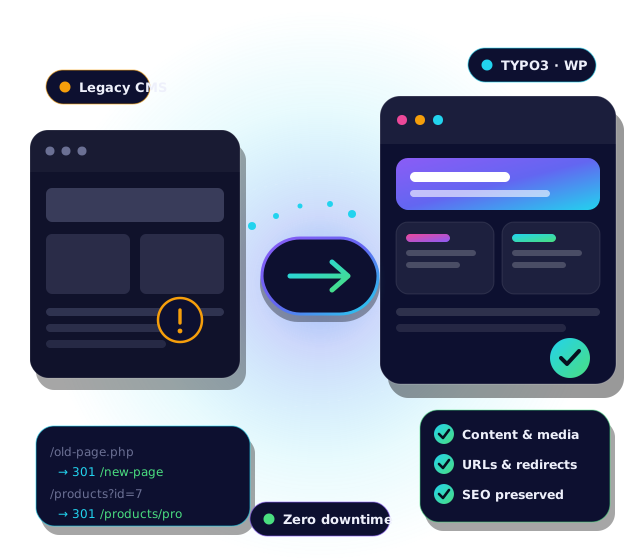
PHP version modernization, database migration, SEO migration with preserved URLs and rankings, and migration of existing integrations — so nothing breaks on launch day.
CMS migration: frequently asked questions
Which CMS migrations do you handle?
We handle migrations between and within platforms:
- TYPO3 version upgrades and platform migrations
- WordPress migrations to a modern setup
- WooCommerce store migrations
- CMS-to-CMS migrations from legacy PHP or other systems to TYPO3 or WordPress
Will we lose our search rankings when we migrate?
We plan the migration to protect your rankings: we preserve URL structures where possible, set up redirects for changed URLs, carry over metadata, and validate SEO before launch.
Will content, media and users be migrated?
Yes. We migrate content, media, users and relations, and verify the results against the old site so that nothing is missing at launch.
What about our integrations, such as ERP, CRM or payment systems?
Existing integrations are part of the migration scope. We review them, migrate or rebuild them for the new platform and test them before go-live.
Do you modernise the PHP version as part of the migration?
Yes. Outdated or unsupported PHP versions are a common risk, so we modernise PHP, extensions and plugins as part of the move.
How do you migrate a WooCommerce store without losing orders?
We migrate products, customers and order history with careful data mapping, and test the full checkout and order flow before launch. A final delta sync can capture orders placed during the cut-over.
How long does a CMS migration take?
It depends on the size of the website, the amount of custom functionality and the integrations involved. After a short assessment we provide a clear scope, timeline and roadmap.
Can you migrate a site that is badly outdated or poorly documented?
Yes. We start with a technical audit of the current system, code and data, then define a realistic migration strategy and refactor or rebuild only what is necessary.
Do we need to freeze content during the migration?
Usually only for a short period around the final switch. We plan the cut-over to minimise the content freeze and avoid downtime.
How do we start?
Request a migration assessment. We will review your current platform, give you an honest recommendation and outline the safest path.
Is your CMS due for a migration?
Get a clear, honest assessment before you commit to a migration path.